Mobile App Android APK iOS Access Sports & Casino Safe Install

cashph Download — How to Get the Mobile App on Android and iOS for Philippines Players

The cashph download page gives Philippines players everything they need to install the platform app on their smartphone and start accessing sports betting markets, casino-style games, and GCash-powered payments in one place. Whether you are using an Android device or browsing on iOS, this guide covers the steps, system requirements, and what to expect after installation — all designed around how Filipino players actually use their phones.

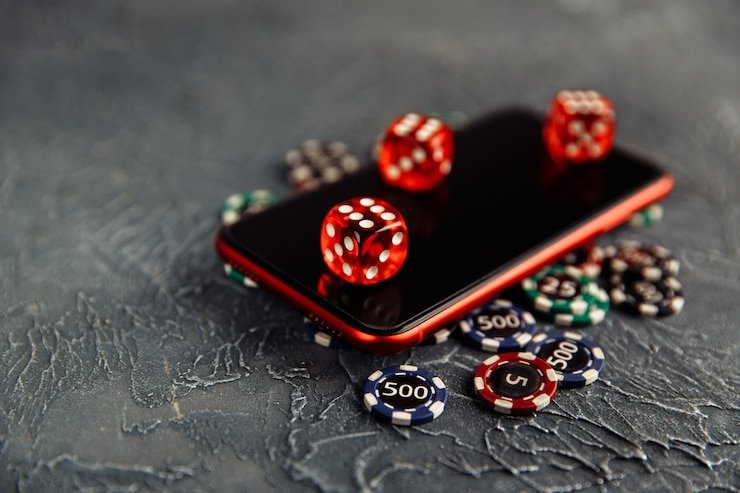
cashph mobile app download screen shown on Android phone in the Philippines
Android APK Available Mobile-First Design Stable on LTE & WiFi Sports Betting Access CasinoGames Inside GCash & Maya Payments Free to Download Secure & Verified Fast Loading Android APK Available Mobile-First Design Stable on LTE & WiFi Sports Betting Access Casino Games Inside GCash & Maya Payments Free to Download Secure & Verified Fast Loading

What Is the cashph Download Page and Who Is It For?

The cashph Download page is the official starting point for any Philippines player who wants to install the cashph platform app directly on their Android or iOS device, rather than accessing the site through a mobile browser alone. The app brings together sports betting markets — including basketball, football, and other PBA-relevant events — alongside casino-style games and the full GCash and Maya payment dashboard, all in a single optimised interface designed around Philippine mobile data conditions.

If you are looking for the official Android APK file, iOS installation guidance, or answers about system requirements and device compatibility, this page covers all of that. You can also register a free cashph account first and then download the app to link your account immediately, or head to the FAQ page if you have a specific question about the download process before getting started.

What Do You Get When You Download the cashph App?

Four reasons Philippines players prefer the dedicated app over a browser tab.

Faster Load Times

The cashph app is built specifically for mobile performance, which means pages and game lobbies load noticeably faster than a standard browser session, even on 4G LTE connections common across Metro Manila, Cebu, and provincial areas. Resources are cached locally on your device so repeated visits and navigation between sports markets or casino-style game categories feel instant. This matters most during live in-play betting windows where a few seconds of lag can affect the market you are trying to access.

Push Notifications

With the app installed on your Android or iOS device, cashph can send you push notifications for upcoming match events, account activity confirmations, and withdrawal status updates — keeping you informed without needing to open a browser and log in manually. Notifications are opt-in and fully controllable through your device settings, so you stay updated on the sports events and game launches you care about without unnecessary interruption throughout your day.

Full Platform Access

The cashph mobile app gives you complete access to every section of the platform — sports betting markets including basketball and football, casino-style table games and slots, live dealer games, the full payment dashboard for GCash and Maya deposits and withdrawals, your loyalty rewards tier, and the account settings panel. Nothing is removed or simplified compared to the desktop experience; the interface is simply rearranged to work naturally with a smartphone screen and one-thumb navigation.

Secure Login

The app supports device-level biometric authentication on compatible Android and iOS models, so you can log in to your cashph account using fingerprint or face recognition instead of typing your password every session. All data transmitted between the app and the cashph servers uses the same encrypted connection as the browser version, and the app does not store sensitive account credentials locally on the device — keeping your account protected even if your phone is temporarily accessed by someone else.

How Do You Install the cashph App on Your Android Phone?

1

Allow Unknown Sources

On your Android device, go to Settings, then Security or Privacy, and enable the option to install apps from unknown sources or allow your browser to install APK files. This step is required because the cashph APK is distributed directly from the official site rather than through the Google Play Store, which is a common and safe practice for licensed gaming platforms operating in the Philippines.

2

Download the Official APK

Visit the Download section inside your cashph account dashboard or use the direct download link provided on this page to get the latest version of the cashph Android APK. Always download from the official cashph domain to ensure you are getting the verified, up-to-date version of the app — avoid third-party APK mirror sites to protect your account credentials and device security.

3

Open and Install

Tap the downloaded APK file from your notifications panel or file manager, review the permission request screen, and confirm the installation. The process takes under thirty seconds on most mid-range Android handsets commonly used across the Philippines. Once installed, the cashph icon appears on your home screen and you can log in immediately using your existing account credentials or complete a new account registration directly inside the app.

Step-by-step Android APK installation process for the cashph app in the Philippines
Philippines player accessing cashph on iOS Safari browser for mobile gaming

Does cashph Work on iPhone and iPad in the Philippines?

iOS users in the Philippines can access the full cashph platform through the Safari mobile browser, which is optimised to deliver a near-native app experience without requiring a separate App Store download. The cashph mobile web version on iOS is fully responsive, supports touch gestures, loads quickly on standard Philippine data speeds, and gives you access to the complete sports betting lobby, casino-style games, and your GCash or Maya payment dashboard — all within the browser.

For iPhone users who want a shortcut that behaves like an installed app, you can add cashph to your Home Screen directly from Safari: tap the Share button at the bottom of your screen, choose "Add to Home Screen," and confirm. The cashph icon will appear alongside your other apps and will open in a full-screen, browser-chrome-free view whenever you tap it, making the experience feel almost identical to a native iOS app.

If you have questions about iOS compatibility, supported Safari versions, or how to enable notifications on iPhone, the FAQ page has detailed answers covering iOS-specific steps for Philippines users.

Device and System Requirements for the cashph App

A quick overview of what your phone needs to run the cashph app smoothly.

Platform Access Method Minimum Requirement Recommended
Android Native APK Android 7.0+ Android 10+ with 3GB RAM
iPhone / iPad Safari Mobile Web iOS 13+ / Safari 13+ iOS 16+ for best performance
Any Smartphone Mobile Browser Modern browser, stable data Chrome / Safari latest version

Most mid-range Android phones sold in the Philippines from 2019 onwards meet the minimum requirement. Check the FAQ if your device is not listed or you experience issues after installation.

Everything connected to getting started is linked here for quick access.

New to cashph? Start Here

Create your free account in under five minutes and get immediate access to the full platform including sports markets, casino-style games, and the GCash payment dashboard.

Register for Free

Want the Full App Feature Overview?

The App page gives you a complete breakdown of everything available inside the cashph mobile experience — from sports lobbies to live casino rooms and payment shortcuts.

Explore the App

Having Trouble Installing?

The FAQ page covers common Android installation errors, iOS Home Screen setup steps, and APK verification questions specific to Philippines device models.

Visit FAQ

Common Download Questions From Philippines cashph Users

Straight answers to what local players search for most about the app installation.

Yes — the cashph Android APK distributed from the official cashph domain is safe, verified, and free from malware or unauthorised third-party code. Because licensed gaming platforms in the Philippines operate outside the Google Play Store by default, downloading the APK directly from the official site is the standard and expected method. To keep your device secure, always confirm the download URL is from cashph.club and avoid any mirror sites or third-party APK hosts offering a "cashph app" download — those are not official and may contain modified or unsafe files. If your Android security scanner flags the APK during installation, you can safely allow the installation after verifying the official source.

Android's default security settings block installation of APK files from sources other than the Google Play Store as a precaution against accidental installation of unverified software. Enabling unknown sources — or in newer Android versions, allowing a specific browser to install apps — simply tells your device that you are aware the file is coming from outside the Play Store and you have confirmed the source is trustworthy. This is a one-time setting you may need to toggle for the installation, and you can disable it again afterwards if preferred. The cashph APK itself does not require any elevated permissions beyond what is necessary for a sports and gaming platform to function on a Philippine mobile network.

Yes — iPhone and iPad users can access the complete cashph platform through the Safari browser without installing anything at all. The mobile web version of cashph is fully optimised for iOS and delivers the same sports betting markets, casino-style games, and GCash payment flow as the Android app. For an experience that feels more like a native app, you can use the Safari "Add to Home Screen" feature to create a shortcut on your iPhone home screen, which opens cashph in full-screen mode without the browser address bar visible. This approach works on all iPhones running iOS 13 or later, covering the vast majority of iPhones currently in active use across the Philippines.

The cashph app download is completely free — there is no installation fee, subscription charge, or in-app purchase required to access the platform through the mobile app. Your only financial activity on cashph involves the deposits and withdrawals you choose to make using GCash, Maya, or local bank transfer, which are all in Philippine pesos. Registering an account is also free and takes under five minutes, so you can sign up and download the app in the same session without any upfront cost. Data usage for downloading the APK is minimal and typically under 30MB on most current Android builds.

When a new version of the cashph Android app is available, you will typically see an in-app notification prompting you to download and install the update from the official source. You can also check the Download page on the cashph website at any time to see if a newer APK version is listed compared to what is currently installed on your device. Updating follows the same process as the original installation — download the new APK from the official site, tap to install, and the updated version will replace the previous one while keeping your account data and login session intact. iOS users accessing cashph through Safari do not need to perform any manual update steps, as the mobile web version always loads the latest version automatically.

Ready to Install cashph and Start Playing From Your Phone?

Register your free cashph account, download the Android app or add the site to your iPhone home screen, and get full access to sports betting, casino-style games, and GCash-powered payments — all designed for how Philippines players use their smartphones every day.

Philippines cashph player with app installed on Android showing sports betting lobby